


ShoApp
2.95.00 Reviews
App Specs
- Version
- 2.1.4
- Updated On
- License
- Free
- Downloads
- 10,000+
- Developer
- eventPower
- Categories
- Events
- Platform
- Android
Screenshots


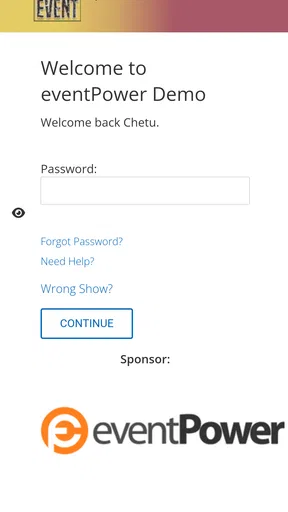




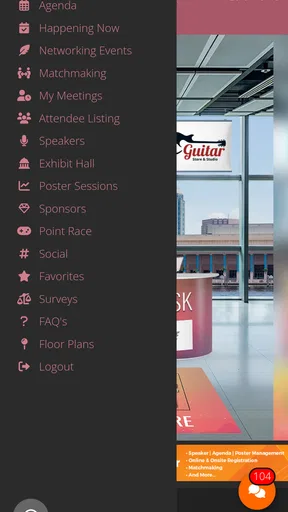
 Analysis by AppCompare
ShoApp is an events app from eventPower, built around giving attendees a mobile and virtual way to take part in an event. I see its value less as an app to browse every day and more as a companion for a particular gathering: the place you check when you want event-related information and participation in one mobile setting. That distinction matters. If you are looking for a general social network, ticket marketplace, or calendar, this is not meant to replace those tools.
One app for an event experience
The central idea is straightforward: attendees use a phone to engage with an event that may have an in-person or virtual component. In practice, that makes ShoApp most relevant when an organizer has chosen it as the event’s digital home. Rather than expecting the app to be useful in isolation, I would treat it as one part of the event itself—something to open when you need to orient yourself, follow what is happening, or take part through the mobile experience the organizer has set up.
That event-specific role is also the key to setting expectations. A dedicated event app can be more focused than trying to find updates across email, a browser, and unrelated messaging threads. But its usefulness depends on the particular event and how the organizer uses the platform. I would install it because an event asks me to, not because I expect a broad collection of events or a permanent feed to explore.
How it fits into an attendee’s day
Imagine arriving at a conference and wanting to check event information on your phone rather than searching through old messages. Or imagine joining a virtual event and wanting one place on mobile to follow the attendee experience. Those are natural situations for an event-focused app like ShoApp. The practical benefit is having an event-oriented point of access, instead of treating the event as a series of disconnected links and reminders.
I would make the app part of my preparation, not a last-minute fix. If I knew an event was using it, I would install it before leaving home, open it while I still had time, and confirm that I could reach the relevant event experience. That small step helps avoid trying to download and navigate an app while standing in a queue or moving between sessions. It is a useful habit for any event app, especially when your phone is also where you keep tickets, directions, and messages.
For a virtual attendee, the same preparation has a different payoff: opening the app before the event begins gives you a chance to get comfortable with its event-specific setup instead of spending the opening moments figuring out where to go. I would also keep the event’s other essential information accessible, such as a confirmation message or schedule if one was sent separately. A mobile companion can make participation more convenient, but it is sensible not to assume it replaces every communication channel an organizer uses.
What it does—and what that means
ShoApp’s stated purpose is to support a mobile and virtual experience for people attending events. That makes it a more specialized choice than a general-purpose calendar or video meeting app. A calendar is good for reminders and time blocks; a meeting app is designed around calls; an event companion is intended to connect attendees with an event experience. I would choose among them based on what the organizer actually uses, rather than expecting one app to do every job.
Worth Reading Before You Choose

EA SPORTS FC Mobile 26 Is a Bigger Football Game, but It Takes Time

Flipboard Shows What News Apps Must Do Beyond the Feed

Switching to Android Auto Means Rethinking Your Driving Routine

Google Calendar Makes a Crowded Week Easier to Manage

Ludo King Makes the Most of the Minutes Between Plans

Baby Panda World Brings Quick Play to Modern Phones, but Its Game Library Feels Busy
There is a trade-off in that focus. When an event uses the app thoughtfully, a dedicated attendee destination can feel more coherent than a patchwork of unrelated tools. When an organizer’s event does not rely on ShoApp, however, there is little reason for an attendee to keep opening it. That is not necessarily a flaw in an event platform; it is simply a product whose value is tied to the events it serves.
The app is free, carries an Everyone age rating, and is developed by eventPower. It has an average rating of 2.9 from around 19 ratings, alongside five written reviews, so I would approach the public feedback with measured expectations rather than assuming it represents every event or attendee. The current version is 2.1.4, and it requires Android 7.0 or later. Those details make it easier to decide whether it is practical for your device, while the event itself remains the main reason to install it.
Small decisions that can make it more useful
My first tip is to install it using the event organizer’s instructions, then check that you are entering the right event context. Event apps are most useful when the attendee has reached the correct destination; opening an app without knowing which event to access can leave you unsure whether you have completed setup. If an invitation or event message points you toward a particular route, keep that message handy while getting started.
Second, think about how you will use your phone during the event. If you are attending in person, you may be moving between locations, checking messages, and relying on your battery for directions or transport afterward. I would avoid treating any event app as the only place to keep essential logistics. Save important details in a way you can reach quickly, and use ShoApp for the event experience it is intended to provide.
Third, if you are attending virtually, test the basic path into the event before the scheduled start. This is not a claim that the app has a particular rehearsal feature; it is simply a practical way to reduce avoidable confusion. Confirm that the app opens and that you can locate the event materials or entry point provided to you. If something does not appear as expected, contacting the event organizer early is more useful than waiting until the event is underway.
Where it compares with familiar alternatives
Many attendees already manage events through a mix of email, a phone calendar, a browser, and a video platform. ShoApp’s potential advantage is having an event-focused mobile experience rather than forcing every part of attendance into those separate places. Its limitation is the same one that gives it focus: it only makes sense when the event is connected to it. For a one-off appointment or a casual meetup with a simple time and address, a calendar entry and a message may be all you need.
For a large or more involved event, a dedicated attendee app can be easier to return to than searching through a long email thread. Yet I would not assume it replaces a ticket, a calendar reminder, or the organizer’s official communications. Those tools answer different questions. A calendar helps me remember when to attend; a confirmation message may hold practical arrangements; an event app can provide the mobile and virtual attendee experience. Keeping those roles clear prevents disappointment and makes the app easier to judge fairly.
It also matters who controls the experience. ShoApp is not an independent guide to every event happening nearby; its usefulness comes from an event using the platform. So if you are deciding whether to install it, the practical question is not simply whether you like event apps in general. Ask whether the event you plan to attend points you to ShoApp and whether you expect to use a mobile or virtual event experience. If not, a browser, calendar, or the event’s existing communication channel may be the simpler choice.
Who is likely to benefit most
I would recommend considering ShoApp if you have a specific event coming up and its organizers are using it for attendees. It is especially relevant to people who want to access an event experience on a phone, including those joining virtually, and to attendees who prefer an event-centered destination over hunting across several messages. People comfortable installing an app for a particular occasion are the clearest fit.
I would skip it if you are only looking for a general event-discovery service, a permanent social space, or a replacement for every tool involved in attending. It is also reasonable to avoid adding another app for a very simple event if the organizer already provides everything you need through a calendar invite or a concise message. The best choice is the one that reduces friction for your actual event, not the one with the most specialized label.
Overall, ShoApp is best understood as a focused attendee companion, not an all-purpose event solution. I would install it when the event makes a clear case for using it, prepare before the day begins, and keep essential logistics available elsewhere as a sensible backup. With a modest average rating and a purpose that depends on organizer adoption, I would go in with practical expectations. For an event that uses its mobile or virtual experience well, it may be a convenient place to participate; for everything else, the usual calendar and communication tools may be enough.
Ever found yourself scrolling through countless apps, looking for the perfect shopping experience? Well, let me tell you, ShoApp might just be your new best friend. I’ve taken it for a spin, and here’s everything you need to know about it.
Your Personal Shopping Assistant
ShoApp promises to revolutionize how we shop online. It’s like having a savvy shopping buddy right in your pocket, always ready to help you find the best deals and products. From the moment you open it, you’re greeted with a sleek, user-friendly interface that makes navigation a breeze. Trust me, even if you're not tech-savvy, you’ll feel right at home.
Features That Make a Difference
The app is packed with features that cater to both casual shoppers and those who live for retail therapy. One of my favorites is the personalized recommendations. Based on your browsing history and preferences, the app curates a list of products you might love. It’s like it reads your mind!
Another cool feature is the price comparison tool. Before you hit that "buy" button, ShoApp lets you compare prices from different retailers. This means you always get the best deal, saving you both time and money. Talk about a win-win!
And if you’re someone who keeps forgetting what you need to buy, the shopping list feature has got you covered. It’s super easy to add items, and you can even categorize them. Now your grocery shopping will be as organized as your closet.
Smooth Sailing with User Experience
What really sets ShoApp apart is its seamless user experience. Everything from searching for a product to checking out is designed to be straightforward. The app’s developers clearly understand that nobody wants to deal with a clunky system, especially when shopping is supposed to be fun.
The app also boasts secure payment options. You can save your payment information for faster checkouts, and rest assured, your data is protected with top-notch encryption. It’s peace of mind that lets you shop without worry.
Why You’ll Love It
Honestly, ShoApp feels like a game-changer for anyone who shops online. I love how it brings everything I need into one place, from discovering new brands to finding discounts on my favorite items. Plus, the app’s minimalist design is just pleasing to the eye, making the whole browsing experience even more enjoyable.
For those who are always on the go, ShoApp’s mobile-friendly design means you can shop anywhere, anytime. Whether you’re on your morning commute or relaxing on the couch, your next purchase is just a few taps away.
Wrapping It Up
All in all, if you’re looking for an app that makes online shopping easy, efficient, and downright enjoyable, give ShoApp a try. It’s packed with features that cater to every type of shopper, and its user-friendly interface makes it a joy to use. So, why wait? Dive into a new shopping experience with ShoApp. Your wallet might just thank you!
And hey, once you’ve tried it out, let me know what you think. Happy shopping!
Pros
- Intuitive user interface
- easy to navigate.
- Quick setup with minimal permissions required.
- Offers offline mode for uninterrupted access.
- Customizable themes to suit user preferences.
- Regular updates with new features and fixes.
Cons
- Occasional ads can interrupt user experience.
- Limited integration with third-party apps.
- Some features locked behind a paywall.
- Requires frequent logins for security reasons.
- Notifications can be overwhelming at times.
FAQs for ShoApp
What is ShoApp and what does it offer?
ShoApp is an innovative application designed for seamless online shopping experiences. It provides users with a wide variety of products, personalized recommendations, and exclusive deals. With its user-friendly interface, ShoApp makes browsing, purchasing, and tracking orders straightforward and efficient, catering to both Android and iOS users.
Is ShoApp available for free?
Yes, ShoApp is available to download for free on both Android and iOS platforms. While the app itself doesn’t require a purchase, some features like premium memberships or exclusive deals may involve additional costs. Users can choose to make in-app purchases for enhanced experiences.
How secure is ShoApp for online transactions?
ShoApp prioritizes user security by implementing advanced encryption technologies and secure payment gateways. It ensures that all transactions are protected, and user data is kept confidential. Additionally, ShoApp regularly updates its security protocols to guard against potential threats, providing a safe shopping environment.
Does ShoApp support multiple languages and currencies?
Yes, ShoApp supports multiple languages and currencies, making it accessible to a global audience. Users can easily switch languages and select their preferred currency within the app settings, ensuring a personalized shopping experience tailored to individual preferences and regional requirements.
What should I do if I encounter technical issues with ShoApp?
If you experience technical issues with ShoApp, there are several steps you can take. Firstly, ensure that the app is updated to the latest version. If problems persist, contact ShoApp’s customer support through the app or the official website. They offer comprehensive assistance to resolve any issues promptly.


